TEXT TO ANIMATION
Text to animation: from a script to animated scenes
Write or paste the text, and your agent turns it into a sequence of animated scenes: headlines in motion, points that build up, numbers that become charts. Claude Motion runs this from Claude Code or Codex and renders the result to MP4 or a shareable web page.
Renders locally on your computer · Claude Motion is independent, not affiliated with Anthropic
A paid Creator or Studio subscription is required. There is no Free plan.
SCRIPT.TXT → SCENES → RENDER.MP4
TEXT
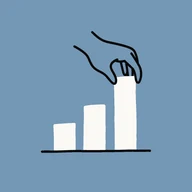
CHARTS
INTERACTIONS
AUDIO
TEXT, MARKDOWN, WORD, PDF OR A LINK IN · ANIMATED SCENES OUT · MP4 AT 1920×1080, 30 FPS
How your text becomes scenes
Text-to-video models invent pictures from a prompt, and the words on screen often come out garbled. Claude Motion works the other way round: it reads your text, splits it into one idea per scene, and lays each idea out as real, editable type, diagrams and charts in a motion style. Because the scenes are HTML, every word is spelled exactly as you wrote it and you can change any of them before rendering.
One idea per scene
Headings and paragraphs become a planned sequence of scenes.
Exact wording
On-screen text is your text, not pixels a model guessed.
Numbers stay sourced
Every figure keeps the sentence it came from and animates as a chart.
| TEXT-TO-VIDEO MODEL | CLAUDE MOTION | |
|---|---|---|
| What it makes | Generated footage | Animated type, diagrams, charts |
| Words on screen | Often misspelled | Exactly your text |
| Change one line | Generate again | Edit the scene |
| Numbers | Approximate | Charts from your figures |
| Output | Short clip | MP4 or a shareable web page |
Animated text: kinetic typography
If you mostly want words that move, pick a type-led style such as Kinetic poster. Titles slide, scale and reveal word by word, key terms are highlighted on the beat, and lists build line by line. It suits slogans, teasers, quotes and intros, and you can mix kinetic type scenes with charts or diagrams in the same video.
Type-led styles
Kinetic poster for slogans; Quiet keynote for calm, clean titles.
Timed reveals
Words and lines appear on the timeline, not on a timer.
Any language
On-screen text follows your source; voiceover is in English or Chinese.
Long sentences do not animate well. Scenes have a text capacity, so your agent shortens on-screen text to keywords and can move the full sentences into the voiceover.
Browse motion styles


What text you can start from
Paste the text into the chat, or give your agent a file or a link. Claude Motion reads Markdown, .txt, Word .docx, PowerPoint .pptx, the text of a PDF, a saved .html page, a blog post link or a public Google Doc. A one-line idea also works: your agent drafts the script first and you approve it before any scene is built.
Scripts and notes
Video scripts, lesson notes, meeting notes and outlines.
Articles and reports
Blog posts and reports, with tables turned into charts.
Voiceover and music
Narration fitted to each scene, music now or later.
Creating, rendering, voiceover and sharing need a Creator ($19.9/mo) or Studio plan. Voiceover and music use credits, and you see the estimate before anything is spent.
Animate a scriptText that animates well
- 01Short headings: each one can become a scene title.
- 02One point per paragraph or bullet.
- 03Numbers written with their units and source.
- 04A target length, such as 60 seconds or 8 scenes.
Text turned into animation
Every card started as written text: a brief, a script or an article that an agent turned into animated scenes.
Why your coffee costs twice as muchStyle · Ink Editorial15sView example
Sprout — plant care, softlyStyle · Soft Clay15sView example
How Seeds Travel — a watercolor storyStyle · Watercolor Story15sView example
一幅画里的四季Style · Huashu Art Motion15sView examplealchaincyf/huashu-art-motion· MIT
Record Store Day — Halftone RecordsStyle · Bang Motion14sView examplebangtutorial/bang-motion· MIT
Weekly review in five minutesStyle · Notion16sView example
HALO — Silence, redesigned.Style · Apple15sView example
Think it throughStyle · Claude15sView example
Breeze to grid — the power path of a wind turbineStyle · Blueprint16sView example
SOUNDWAVE '26 — Line-up dropStyle · Kinetic Poster15sView example
Voltline — Q3 2026 resultsStyle · Quiet Keynote15sView example
Fix a bug in 30 secondsStyle · Cursor14sView example
What you get on top of plain animated text

Motion styles
Pick a style or let your agent design freely.
Scene planning
Your text split into one idea per scene.
Animated charts
Numbers from your text, styled to match.
File and link ingest
Markdown, Word, PPT, PDF, web pages.
HyperFrames timeline
Edit clips, timing and blocks.

Voiceover
Narration fitted to each scene.

Share links
The interactive version, public or password.
MP4 render
Local and deterministic.
Turn text into animation in 3 steps
- 1Paste the one-line install from the install guide into Claude Code or Codex.
- 2Paste your text or give a file or link, and pick a motion style.
- 3Check the scenes on the HyperFrames timeline, then render MP4 or share a link.
First run opens your browser to sign in — one click, no terminal.
Your questions, answered
How do I turn text into an animation?
Install Claude Motion, then ask your agent something like "Turn this script into a 60-second motion in the Kinetic poster style" and paste the text or name the file. It plans the scenes, builds them in the style, and you render an MP4 once you are happy with the timeline.
Can I make animated text, like kinetic typography?
Yes. Type-led styles such as Kinetic poster animate titles, keywords and lists on the timeline. You can keep a whole video in kinetic type or mix those scenes with charts and diagrams.
Does it generate cartoon characters or video footage?
No. Claude Motion animates type, shapes, diagrams, charts and your own images. It does not draw characters or generate footage from a prompt. AI pictures can be generated for a scene with credits, but they are still images placed in the layout.
Is text to animation free?
The HyperFrames renderer underneath is open source and free. Creating, rendering and sharing with Claude Motion need a Creator ($19.9/mo) or Studio plan; voiceover, music and AI pictures use credits.
How long can the animation be?
There is no fixed limit. Most text works best at 30 to 120 seconds with one idea per scene. Voiceover lengthens scenes to fit the narration, and you can trim any scene on the timeline.