CLAUDE MOTION PROMPT LIBRARY
Claude Motion prompts that just work
Copy a ready-made brief into Claude Code or Codex, swap in your file, and get motion in your chosen style
From $19.9/mo · Works with Claude Code & Codex · Independent, not affiliated with Anthropic
A paid Creator or Studio subscription is required — There is no Free plan


PICK A MOTION STYLE · PREVIEWS USE YOUR CONTENT
RUNS ON YOUR OWN CLAUDE CODE OR CODEX · BUILT ON HYPERFRAMES · MP4 + INTERACTIVE WEB
Prompts for updates and data
Data prompts work best when they name the file, the one metric that matters and who is watching. Claude Motion reads tables in your file as chart data and keeps the original text of every number, so the chart and the narration agree with the source. Ask for a filter or a toggle when viewers will want to compare channels, regions or months themselves in the shared web version.
Weekly recap
A 30-second recap with a growing bar chart and a channel filter.
Board update
Six scenes, answer-first titles, one chart each.
Numbers stay true
Every prompt says: numbers only from your file.
01
Turn update.md into a 30-second motion recap for my team. One idea per scene, a bar chart that grows for the main metric, a channel filter, numbers exactly as in the file.
02
Make a 6-scene motion summary of q3.pptx for non-technical board members. Answer-first titles, one chart per scene, no invented numbers.
03
Turn survey-results.pdf into a 45-second motion report in the Quiet keynote style. Open with the single biggest finding, reveal each percentage with a counting number, numbers only from the file.
04
Make a monthly KPI motion page from metrics.md with a line chart per KPI and a month toggle, then share it as a password-protected link for the team.
Prompts for lessons
Lesson prompts should say who the learner is and what they must be able to do afterwards. Ask for one concept per step and an exercise at the end: quizzes and drag-to-match work in the interactive web version, while the MP4 shows the explanation. For a class you present live, ask for slides with speaker scripts instead of a video.
Step-by-step lesson
One concept per step.
Quiz at the end
Three questions with explanations.
Drag-and-drop practice
Match terms to definitions.
01
Turn lesson-2.md into a step-by-step motion lesson for beginners. Reveal one concept per step and end with a 3-question quiz with explanations.
02
Add a drag-to-match exercise pairing each term in glossary.md with its definition.
03
Explain how photosynthesis works from notes.md for 12-year-olds in the Watercolor story style. Six scenes, one process step each, English voiceover, end with two quiz questions.
04
Turn chapter-4.docx into a 10-slide presentation with speaker scripts for a 15-minute class. Step reveals for each list, one diagram per slide, keep my headings.
Prompts for creators
Creator prompts are about rhythm. Give a minimum length per scene so cuts do not feel rushed, keep on-screen text to keywords when your own voice or subtitles carry the sentences, and decide on music now or later. Explainer and how-it-works videos read best in a diagram style such as Blueprint; slogans and teasers in Kinetic poster.
Script to B-roll
Five seconds minimum per scene.
Keywords only
Let subtitles carry the sentences.
Add music later
Choose sound when you're ready.
01
Turn script.txt into motion B-roll scenes, 5 seconds minimum each, keywords only on screen, export MP4.
02
Make a 20-second launch teaser from changelog.md in the Kinetic poster style, music now, no voiceover.
03
Turn this blog post (paste the link) into a 60-second explainer in the Blueprint style: one mechanism per scene, nodes light up in order, keywords only, export MP4 at 1080p.
04
Make a 30-second product intro from readme.md in the Soft clay style for a landing page: three benefits, one per scene, no voiceover, music later.
Start from a motion style
Every style comes with charts, filters, quizzes and drag-and-drop. Or let your agent design freely.
- LaunchMotion · Product launch scenes
- CreatorMotion · A-roll & B-roll explainers
- HyperFrames · Full launch films
- HyperFrames · Full launch films
- ink-editorial
- soft-clay
- watercolor-story
- Art stylesalchaincyf/huashu-art-motion· MIT
- HyperFrames · Full launch films
- HyperFrames · Full launch films
- Multiple visual stylesbangtutorial/bang-motion· MIT
- teaching
All the features you need

Motion styles
Pick a style or let your agent design freely.
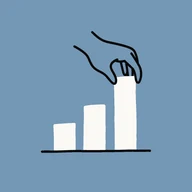
Animated charts
ECharts built in, styled to match.
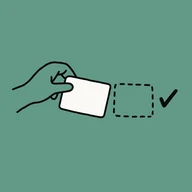
Quizzes & drag-and-drop
Interactive by default.
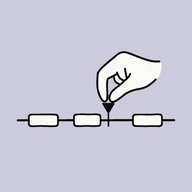
HyperFrames timeline
Edit clips, timing and blocks.
Voiceover
English and Chinese, brand names said right.

Music
Generate now or add later.
Share links
Public or password, with stats.
MP4 render
Local and deterministic.
How to use a Claude Motion prompt
- 1Install Claude Motion with the one-line command.
- 2Copy a prompt and replace the file name with yours.
- 3Pick a style, then fine-tune on the HyperFrames timeline.
First run opens your browser to sign in — one click, no terminal.
Your questions, answered
Do these work with Anthropic's Motion feature?
They are written for claudemotion.design. Anthropic's Motion may interpret them differently.
What makes a Claude Motion prompt good?
Name the source file, the audience, the length, one rule per scene, the style and the output. Add "numbers only from the file" when there is data. Short, concrete prompts beat long ones: the agent plans the scenes, and you adjust timing afterwards on the HyperFrames timeline.
Can I paste text instead of naming a file?
Yes. Paste the text or a web page link into Claude Code or Codex with the prompt. Naming a file is better for longer material, because every number and quote keeps a reference to where it came from.
How long should a motion video be?
Recaps and teasers work at 20 to 45 seconds, explainers at 45 to 90 seconds. Give at least 5 seconds per scene when there is text to read; with voiceover, scenes are lengthened to fit the narration.
Can I get slides instead of a video?
Yes. Ask for a presentation with speaker scripts: you get slides with step reveals that you present full screen, and you can still add voiceover or render a video later.