LOOKING FOR /MOTION?
Is there a /motion command in Claude?
Not in the Claude app: Anthropic's Motion starts from a chat or the Artifacts tab. In Claude Code, the Claude Motion skill gives you a real command, /claudemotion.
From $19.9/mo · Works with Claude Code & Codex · Independent, not affiliated with Anthropic
A paid Creator or Studio subscription is required. There is no Free plan.
IN THE CLAUDE APP (TEAM, ENTERPRISE)
- No /motion slash command
- Ask for an animation in any chat
- Or Output → Motion in the message box
- Or a Motion template in Artifacts
IN CLAUDE CODE OR CODEX (ANY PLAN)
- Type /claudemotion in Claude Code
- Or just ask: "make this into motion"
- Your agent builds it on your computer
- Render MP4 or share a link
RUNS ON YOUR OWN CLAUDE CODE OR CODEX · BUILT ON HYPERFRAMES · MP4 + INTERACTIVE WEB
How Anthropic's Motion actually starts
Anthropic's help article lists three ways in, and none of them is a slash command. Typing /motion in a Claude chat does nothing special: it is read as plain text.
Ask in a chat
For example "turn this quarterly report into a 30-second explainer".
Output → Motion
Select Output in the message box and choose Motion.
Artifacts tab
Pick a Motion template, then describe the animation.
Checked against Anthropic's help article “Get started with Claude Motion” on Oct 24, 2026. It is a beta for Team and Enterprise plans; on Enterprise an owner turns it on in Organization settings → Artifacts.
Can't find Motion?If Motion is missing
- 01Your plan is Team or Enterprise. Free, Pro and Max do not have it.
- 02On Enterprise, an owner has switched Motion on.
- 03Artifacts are enabled for your workspace.
- 04You are looking at Output → Motion, not the slash menu.
The /claudemotion command in Claude Code
Our installer puts the Claude Motion skill in ~/.claude/skills (Claude Code) and/or ~/.agents/skills (Codex), whichever you have. In Claude Code every installed skill is also a slash command, so /claudemotion starts the workflow. You can skip the command and ask in plain words; the agent loads the skill on its own.
Claude Code
Type /claudemotion, then paste or attach your doc, deck, notes or idea.
Codex
Ask "make this into motion", or mention the claudemotion skill by name.
Terminal
npx -y claudemotion@latest doctor checks Node, HyperFrames, Chrome, ffmpeg and your plan.
TEXT
CHARTS
INTERACTIONS
AUDIO
Which one should you use?
Team or Enterprise
Try Anthropic's Motion first. It is included in your plan's usage.
Free, Pro or Max
Use Claude Motion in Claude Code or Codex, from $19.9/mo.
Need voiceover or a narrated PPT
Claude Motion adds English and Chinese voiceover, music and slide decks with speaker scripts.
| Anthropic's Motion | Claude Motion (this site) | |
|---|---|---|
| How to start | Chat, Output → Motion, Artifacts | /claudemotion or plain words |
| Slash command | None | /claudemotion (Claude Code) |
| Plans | Team, Enterprise (beta) | Any Claude Code or Codex user |
| Runs on | Anthropic's servers | Your own computer |
| Output | MP4, shared artifact | MP4, interactive link, narrated PPT |
| Cost | Counts toward your plan's usage | From $19.9/mo |
Start from a motion style
Every style comes with charts, filters, quizzes and drag-and-drop. Or let your agent design freely.
A slide presentation with speaker scripts and optional audio. Learn about narrated PPT →
What the command gives you

Motion styles
Pick a style or let your agent design freely.

Animated charts
ECharts built in, styled to match.

Quizzes & drag-and-drop
Interactive by default.
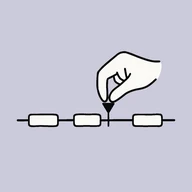
HyperFrames timeline
Edit clips, timing and blocks.

Voiceover
English and Chinese, brand names said right.

Music
Generate now or add later.

Share links
Public or password, with stats.
MP4 render
Local and deterministic.
Use /claudemotion in 3 steps
- 1Paste the one-line install from the install guide into Claude Code or Codex.
- 2Type /claudemotion (or just ask) and drop in your doc, then pick a motion style.
- 3Fine-tune on the HyperFrames timeline, then render MP4 or share a link.
First run opens your browser to sign in — one click, no terminal.
Your questions, answered
Is /motion a Claude slash command?
No. Anthropic's help article starts Motion from a chat request, Output → Motion, or a Motion template in the Artifacts tab. There is no /motion command in the Claude app.
Why does /claudemotion work in my Claude Code?
Claude Code turns every installed skill into a slash command. After you install Claude Motion, its main skill is called claudemotion, so /claudemotion starts it.
Do I need the command at all?
No. Saying "make this into motion" or "animate this deck" loads the same skill. The command is a shortcut.
Does /claudemotion give me Anthropic’s Motion on Pro or Max?
No. It runs Claude Motion, an independent product, on your own Claude Code or Codex. Anthropic's Motion stays a Team and Enterprise feature.
Does it work without a subscription?
Reading your source and browsing styles work for any connected account. Creating, rendering, voiceover and sharing need a Creator or Studio plan.